Why There’s Never Been a Better Time to Learn to Code – AI coding tutorial
A write-up from the ASC Labs Coffee Morning February 2026
There’s a classic story about learning to program: you buy the big textbook, you sit down at your computer on a rainy Sunday, and by page three of Chapter One (“Setting Up Your Environment”) something doesn’t work. The version is wrong, the computer is different, the enthusiasm evaporates. Sound familiar?
That experience is becoming a thing of the past and this month’s ASC Labs session, led by Andrew Le Breuilly, made a pretty compelling case for why now is genuinely the best moment in history to start learning to code, regardless of your background.
The Setup: Just Two Tools
Andrew’s starting point was refreshingly simple. You don’t need a degree, a bootcamp, or a bookshelf of technical manuals. You need two things:
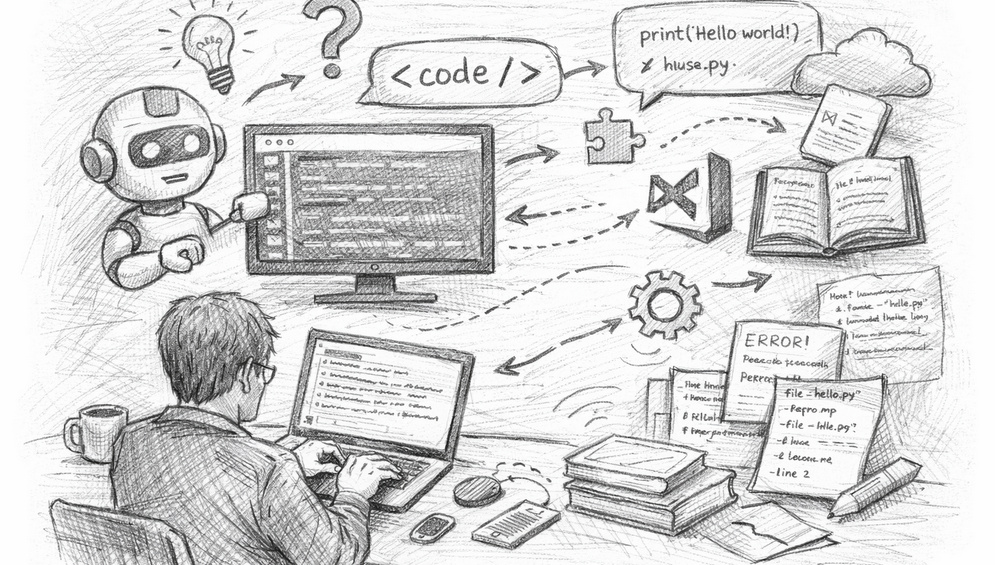
Visual Studio Code: a free, industry-standard code editor from Microsoft. Yes, it looks a bit intimidating when you first open it. That’s okay.
A Claude Pro subscription: currently around £20/month which you install directly into Visual Studio Code as an extension. Four million other people have already done the same.
That’s it. From those two ingredients, you can build something real within an hour.
Live Demo: Building a Data App from Scratch
Rather than run through slides, Andrew showed exactly what this looks like in practice. Starting from a completely empty folder, he typed a plain English prompt into Claude:
“I’d like to create a simple web app that allows me to upload a CSV with columns: category, subcategory, date, price and quantity. The user will be prompted to open a CSV file. On load, it will display the average price and total quantity for each category.”
Within moments, Claude had generated a working single-page HTML application, i.e. no server required, no database, nothing to install. Upload a CSV, and it analyses and displays your data instantly. Andrew then asked it to add a chart underneath the table. It did. He asked it to explain a piece of code he didn’t understand. It did that too, framing the explanation in terms of Excel functions to make it immediately accessible.
The whole thing took minutes.
Going Further with Python and Streamlit
The second half of the session moved into Python territory, using a library called Streamlit, a tool that lets you build interactive dashboards with very little code. The same data app that required a wall of HTML and JavaScript was recreated in about 20 lines of clean, readable Python.
Andrew then asked Claude to add more advanced features; filters, summary statistics, date ranges, tabbed views. The result looked like something a data team would spend days building. It appeared on screen in seconds.
The key insight here wasn’t just “AI writes code for you.” It was that the AI becomes a learning partner. When Andrew highlighted a line he didn’t understand (reset_index, for the curious), he could simply ask: “I don’t understand what this does.” The explanation came back instantly, pitched at exactly the level he needed.
The Kolb Connection: Learning That Actually Sticks
Andrew framed the session around the Kolb Learning Cycle. The idea that good learning moves through four stages: experiencing, reflecting, thinking, and experimenting. Traditional programming education tends to front-load the theory and leave you struggling to connect it to anything real.
AI flips this. You start by building something that works. Then you look at what was created and ask questions. Then you start to understand the concepts. Then you break things and see what happens. The cycle moves fast, and it’s driven by your own curiosity rather than a textbook’s chapter order.
A Few Honest Caveats
Andrew was clear that this approach has limits, and it’s worth being direct about them.
Data privacy matters. The HTML app shown runs entirely in your browser and nothing leaves your machine. But if you’re feeding proprietary ideas or client data into Claude to help you build something, that information is going to a third-party server. Be thoughtful about what you share.
Proof of concept ≠ production. Streamlit is fantastic for quick, impressive demos. It is not, as Andrew put it, “lean.” If you’re building something that real clients will use with sensitive data, you want someone who knows how to properly secure it involved from the start.
Tools change quickly. What’s best today may be superseded in three months. The fundamentals understanding what tools exist, when to use them, what good architecture looks like matter more than memorising syntax.
The Biggest Takeaway
Perhaps the most useful thing Andrew said had nothing to do with code. It was this: knowing the architecture of what makes a good application matters more now than memorising how to write it. Understanding when to reach for Streamlit versus a full API framework, knowing that DuckDB exists for data engineering tasks, being aware of what GitHub is for. These conceptual signposts let you use AI effectively. Without them, you’re just pressing buttons and hoping.
The tools have never been more accessible. The barrier to entry has never been lower. And if you can already work with data in Excel, you’re closer to understanding Python than you might think.
If you missed this session, keep an eye out for the next ASC Labs and if you want to try it yourself, the recording and code files are available on request.