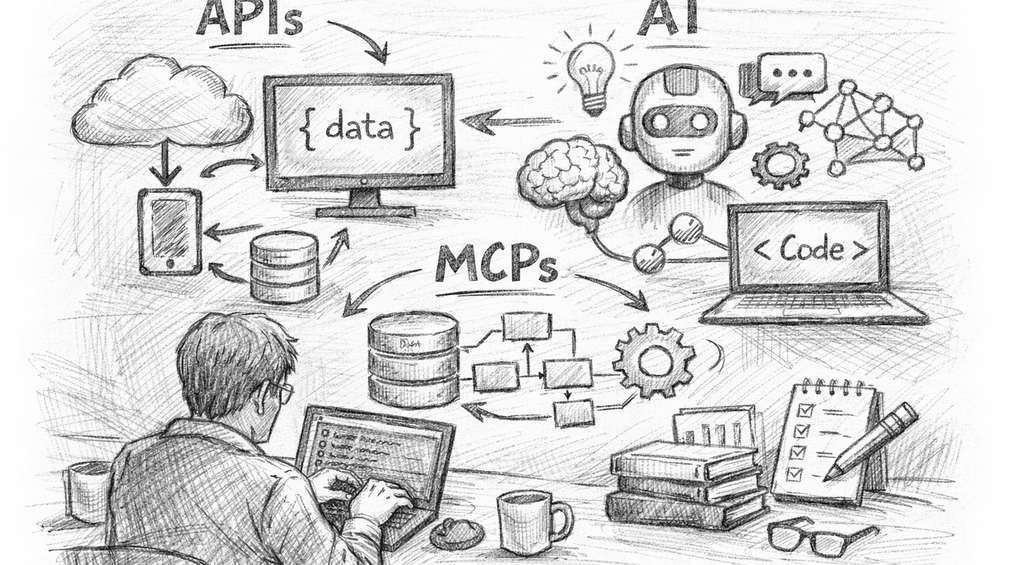
Why Every Survey Professional Should Understand APIs, MCPs and AI
Every month, the Association for Survey Computing runs an informal lab session where survey professionals explore emerging technology and ask the questions they might not feel comfortable asking elsewhere. This month, ASC director Andrew Le Breuilly tackled three acronyms that have been cropping up everywhere: APIs, MCPs, and AI.
This session build on our previous labs session “Why There’s Never Been a Better Time to Learn to Code – AI coding tutorial”
Why These Three Acronyms Matter
Things are moving fast, and the survey research sector is no exception. AI tools are entering daily workflows, platforms are opening up their data through APIs, and a new standard called MCP is changing how AI connects to the systems we already use.
Understanding what these technologies actually are puts you in a better position to spot opportunities, ask the right questions of technical colleagues, and avoid the pitfalls.
What Is an API?
An API (Application Programming Interface) is a messenger. It takes a request from you, passes it to a system, and brings back a result in a structured, predictable way.
Andrew used the restaurant analogy: you’re the customer, the API is the waiter, and the kitchen is the system doing the actual work. You tell the waiter what you want; they translate your order into something the kitchen understands.
In practice, an API looks like a web address with parameters. A request might say: “Give me data about user number 42.” The response comes back as JSON, a readable, structured format. The key insight is that you don’t need to know how a system works internally to use its API.
Survey professionals are already using APIs constantly, often without realising it. Every time a platform syncs data or a tool connects to another tool, there’s almost certainly an API involved.
What Is AI?
At its core, AI (specifically the large language models powering tools like Claude and ChatGPT) is pattern recognition applied to language. These models were trained on vast amounts of text and learned to predict what a useful response looks like. They’re good at drafting, summarising, and explaining. What they’re not good at is giving precise answers about live data they don’t have access to.
Andrew illustrated this with a well-known example: AI famously got “how many Rs are in the word strawberry?” wrong, because it was working from language patterns rather than actually counting characters. That’s exactly the kind of problem an API can solve.
What Is an MCP?
MCP (Model Context Protocol) is the newest of the three and the least well-known. Developed by Anthropic, it’s a standard that lets AI connect to external tools, data sources, and APIs in a reliable, consistent way.
Andrew described it as the USB-C port for AI: just as USB-C is a universal standard that lets you plug any device into any laptop, MCP lets any AI connect to any tool. Rather than each platform needing its own bespoke integration, MCP provides a common language for AI to interact with the outside world.
With MCP, you can have AI reading live data from your survey platform, calling APIs on your behalf, sending emails, updating calendars, or building a PowerPoint deck from scratch, all triggered by a plain-English question.
How They Work Together
The real power comes when all three combine. Here’s a survey-world example:
“How many responses did our survey get this week?”
- You ask the question in natural language
- The AI uses an MCP connector to reach your survey platform
- The MCP translates it into an API call the platform understands
- The API fetches the live data
- The AI returns a clean, plain-English answer
No spreadsheet exports. No manual checking. No AI inventing a plausible-sounding figure.
The Live Demo: Counting the Rs in Strawberry
To make all of this tangible, Andrew built a simple API from scratch in Python using a framework called FastAPI, then connected it to ChatGPT.
The task: pass in a word and a letter, and count how many times the letter appears. A deliberate nod to the strawberry problem, showing that connecting AI to a real function produces the correct answer every time.
In around ten lines of Python, Andrew had a working API running locally. Using a free tool called Ngrok, he made it publicly accessible, then connected it to a custom ChatGPT action. Asking ChatGPT “count the letter R in the word strawberry” now triggered a real API call, returned a verified answer, and showed a full audit trail.
The point wasn’t the letter-counting. It was the principle: you can write an API to do almost anything, connect it to an AI, and get exact answers rather than guesses. In survey research, that might mean automatically pulling daily response counts, running weighting scripts, or cleaning messy data.
Running AI Locally: A Bonus Conversation
During the Q&A, the session explored LM Studio, a desktop application that lets you download and run AI models entirely on your own machine, with no internet connection and no ongoing costs.
This sparked a useful discussion on the trade-offs: cloud-based AI is convenient and powerful, but you’re sending data externally. Local models are private and free to run, but need a capable machine. For anyone handling sensitive data who still wants to experiment, local models are worth knowing about.
Using These Tools Sensibly
A recurring theme was the importance of using AI with awareness:
- AI is useful for drafting, summarising and exploring, not for producing definitive factual answers without verification
- Always review output before treating it as final
- Know your organisation’s policy on AI use
- Be careful about passing client or personal data into any AI tool
- Building your own API gives you control over exactly where your data goes
Where Could This Apply in Your Work?
Some questions worth asking about your own workflows:
- Does your survey platform have an API? Most do.
- Are there reports or exports you pull manually that could be automated?
- Could AI help draft narrative summaries of findings more quickly?
- Are there repetitive data tasks (reformatting, cleaning, cross-referencing) a short script could handle?
You don’t need to be a developer to ask these questions. Understanding the concepts is enough to spot the opportunities and have a productive conversation with someone who can help build them.